
Best ESP32 Camera Module - OV2640, OV5640, OV3660 and OV7670 Compared
Find the best ESP32 camera module for your project. Compare OV2640, OV5640, OV3660 and OV7670 on image quality, night vision, specs, prices and real-world performance.
The Camera Module Confusion #
My first ESP32-CAM project was a doorbell camera. The board came with a camera, I flashed some code, and it worked. Mostly.
Daylight was fine. But in my hallway? Blurry, grainy, unusable. I spent hours tweaking settings before realizing: the sensor was the problem, not the code.
Not all ESP32 camera modules are the same. The sensor you choose affects image quality, frame rate, low-light performance, and whether autofocus is even possible. This guide breaks down the differences.
What's the OV Series? #
The "OV" cameras you'll see everywhere - OV2640, OV5640, OV3660 - are all made by OmniVision, a company that's been making image sensors since the 90s. They're in everything from laptops to medical devices.
Why does ESP32 use OmniVision sensors? A few reasons:
- Proven compatibility. Espressif (the company behind ESP32) built their camera drivers around these sensors.
- Built-in JPEG compression. Most OV sensors can output compressed JPEG directly, saving your ESP32's limited processing power.
- Affordable at scale. They're mass-produced for phones and IoT devices, so they're cheap.
- Good documentation. Well, relatively good. Compared to random no-name sensors, at least.
The number in the name roughly indicates resolution:
What to Look For When Buying #
New to this? Just buy a complete board (ESP32-CAM, Freenove S3) with camera pre-attached. Standalone modules are for upgrades, replacements, or custom builds.
Connector compatibility: OV2640, OV5640, and OV3660 share the same 24-pin ribbon connector - you can swap them on most ESP32-CAM boards. Just update your code. (OV7670 is different - no ribbon cable.)
| What | Options |
|---|---|
| Lens | Standard (~66°) / Wide-angle (120-160°) / Fisheye (180°+) |
| Focus | Fixed / Manual / Autofocus (AF) |
| IR | Standard / NoIR (for night vision) |
Before buying: Check seller reviews, verify "AF" if you need autofocus, look for real photo samples.
Quick Decision Guide #
| Building This? | Get This | Why |
|---|---|---|
| First ESP32-CAM project | OV2640 | It just works. Best docs. |
| Security / doorbell camera | OV2640 | Reliable streaming, low latency |
| Baby monitor / pet cam | OV2640 NoIR + IR | Night vision for dark rooms |
| QR code scanner | OV5640 AF | Autofocus is essential |
| Time-lapse photography | OV5640 | 5MP matters for stills |
| Face detection / AI | OV3660 + ESP32-S3 | Better low-light for ML |
| Video streaming to Home Assistant | OV2640 + ESPHome | Native esp32_camera support |
| Drone / flying camera | OV2640 | Lightest, lowest power draw |
| PIR-triggered snapshot camera | OV2640 | Fast wake, reliable JPEG |
| Learning experiments | OV7670 | Cheap to break |
Which Is the Best ESP32 Camera Module? #
Short answer: OV2640 for most projects.
It's not the highest resolution. It's not the newest. But it's the sensor that Espressif built their drivers around, the one every tutorial references, and the one least likely to give you problems at 3am when you're debugging a project.
If you need autofocus or high-resolution stills, step up to the OV5640 AF. If you're running face detection or AI inference on an ESP32-S3, the OV3660 gives you better low-light frames that make predictions noticeably more reliable. The OV7670 is a teaching tool - buy it to learn how camera interfaces work, not to build something real.
| Goal | Best camera module |
|---|---|
| General streaming, security | OV2640 (best overall value) |
| High-quality photos, QR scanning | OV5640 AF |
| AI, face detection, low-light | OV3660 |
| Learning camera interfaces | OV7670 |
OV2640 - The One You Should Start With #
The OV2640 is the default camera that ships with most ESP32-CAM boards, and there's a good reason. It's not the highest resolution, it's not the newest - but it's the most reliable.
I've used this sensor in 20+ projects. Video doorbells, wildlife cameras, a failed "smart mirror," plant monitoring... it handles all of them without drama.
✓ What I Like
- It just works. Every tutorial uses this sensor.
- Fast frame rates. 25-30fps at VGA, ~15fps at 720p.
- JPEG on-chip. No CPU overhead for compression.
- Cheap & available. $2-5 everywhere.
✗ Limitations
- Fixed focus. Can't adjust for close-ups.
- 2MP only. Fine for video, meh for stills.
- Average low-light. Gets grainy indoors.
Pro tip: At VGA resolution (640x480), you can hit 25-30fps with smooth streaming. Bump to 720p and you're still getting ~15fps - fine for most applications.

OV2640 Camera Module (Standard)

OV2640 Wide Angle / Fisheye (160°)
OV2640 NoIR - Night Vision Version #
The OV2640 also comes in a NoIR variant. Same sensor, but with the infrared cut filter removed from the lens.
Standard camera modules block IR light to keep daytime images looking natural. Remove that filter and the sensor can pick up infrared light that's invisible to the human eye. Pair it with IR LEDs and you have a working night vision camera.
Trade-off: daytime images have a noticeable pink or purple tint from ambient infrared in sunlight. If you're building a dedicated night camera (wildlife, baby monitor), that's acceptable. If you need accurate daytime colors, keep the standard OV2640 and use external IR LEDs instead.
Full setup details are in the night vision section below.
OV5640 - When Resolution Matters #
The OV5640 is what I reach for when image quality matters - specifically still image quality, not video streaming.
I used this for a plant timelapse where I needed enough resolution to crop and zoom later. OV2640 images looked fine on my phone, but blown up on a monitor? Pixelated mess. OV5640's 5MP held up much better.
Autofocus Warning
OV5640 comes in fixed focus and autofocus versions. Check your listing! "5MP" ≠ autofocus.
When You Need Autofocus #
QR Code Scanning
Different distances
Document Scanning
Close-up text
Macro Photography
15cm or closer
✓ What I Like
- 5MP resolution. Actually useful for stills.
- Autofocus option. Game changer for QR codes.
- Better color. More accurate reproduction.
✗ Limitations
- Slower at max res. ~5fps at 5MP.
- More power. Autofocus motor draws current.
- Board compatibility. Check your ESP32-CAM.

OV5640 Autofocus Camera Module
OV2640 vs OV5640 - What's the Difference? #
The short version: OV2640 is faster and more compatible, OV5640 takes better photos.
| OV2640 | OV5640 | |
|---|---|---|
| Resolution | 2MP (1600x1200 max) | 5MP (2592x1944 max) |
| Frame rate | 30fps at VGA | 30fps at 720p |
| Autofocus | No | Optional (check listing) |
| Low-light | Average | Average |
| Price | $2-5 | $8-15 |
| Compatibility | Universal | Most ESP32-CAM boards |
| Best for | Streaming, monitoring | Stills, QR scanning |
For video and live streaming, the OV2640 wins: lower cost, faster at streaming resolutions, and zero compatibility headaches. For anything where you need a sharp still - documents, plant monitoring, product photos - the OV5640's extra resolution earns its price.
OV3660 - The AI Specialist #
The OV3660 is the underdog. Not as popular as OV2640, not the resolution of OV5640, but it does something neither do well: low-light performance.
Espressif bundles this with ESP32-S3 AI development kits for a reason.
Why Low Light Matters for AI
Face detection works great in good lighting and falls apart in dim rooms. The OV3660 has better sensitivity = clearer frames = better predictions.
I tested both sensors at dusk. OV2640 kept detecting my bookshelf as a person. OV3660 was noticeably more reliable.
✓ What I Like
- Better low-light. Actually usable indoors.
- Fast 720p. Up to 45fps.
- AI optimized. Pairs well with ESP32-S3.
✗ Limitations
- Less documentation. Fewer tutorials.
- ESP32-S3 focused. Mostly S3 boards.
- Fixed focus. No AF option.
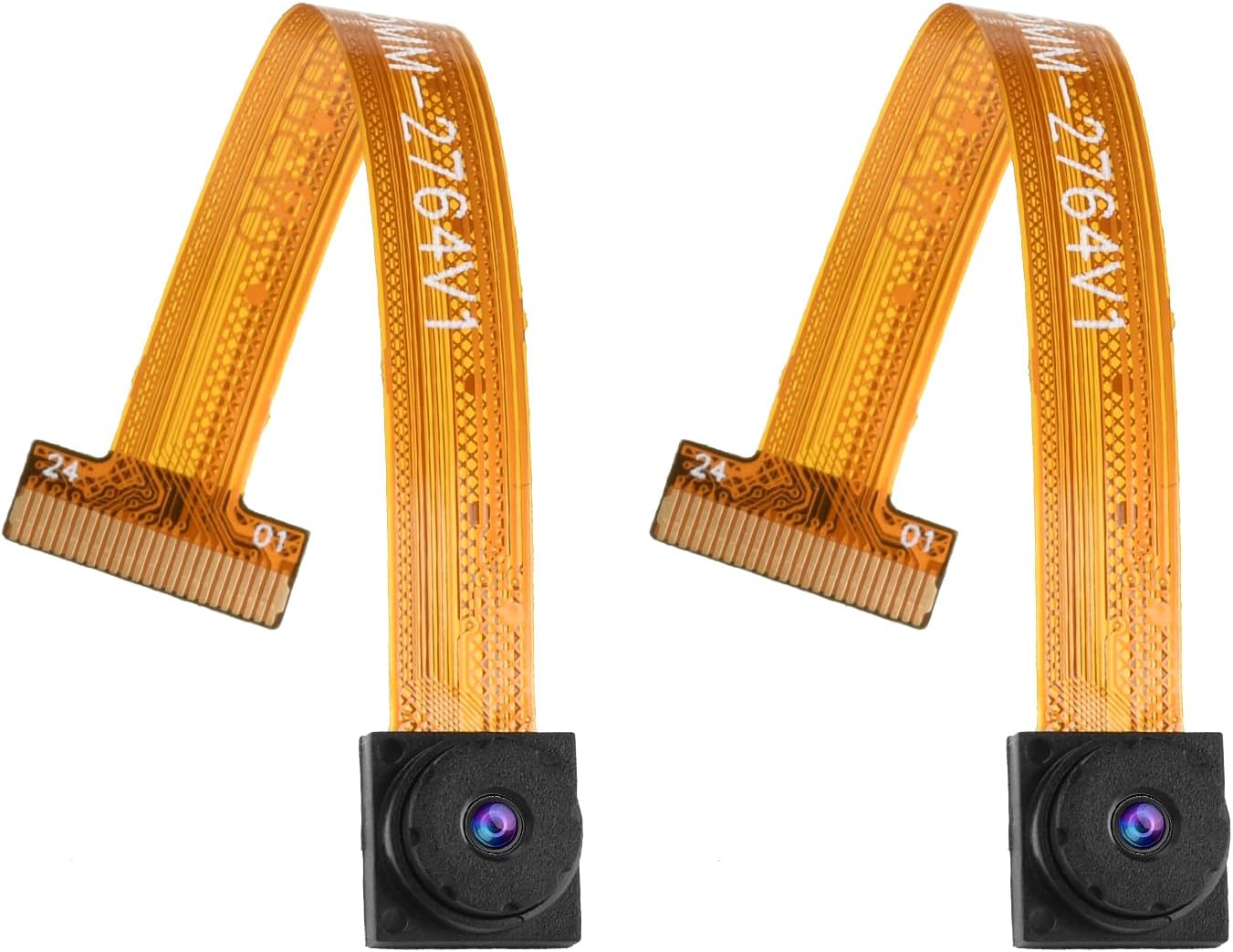
OV3660 Camera Module
OV3660 vs OV5640 - Which to Choose? #
Both are mid-range sensors sitting above the OV2640, but they solve different problems.
| OV3660 | OV5640 | |
|---|---|---|
| Resolution | 3MP | 5MP |
| Frame rate at 720p | 45fps | 30fps |
| Autofocus | No | Optional |
| Low-light | Good | Average |
| Primary use case | AI, face detection | High-res stills, QR |
| Typical boards | ESP32-S3 AI kits | Most ESP32-CAM boards |
| Price | $6-12 | $8-15 |
Choose OV3660 if you're running inference on an ESP32-S3 and your scenes are often dim. Choose OV5640 if you need autofocus, higher resolution stills, or you're building on the original ESP32-CAM hardware.
OV7670 - For Learning Only #
I don't recommend the OV7670 for any real project. But it has its place.
Costs under $2 and teaches you things plug-and-play modules don't: parallel interfaces, why JPEG matters, patience.
Why It's Painful
- No JPEG output. Raw RGB565. ESP32 processes everything.
- Complex wiring. Individual pins, no ribbon cable.
- VGA only. 640x480 in 2026. Flip phone vibes.

OV7670 Camera Module
OV7670 vs OV2640 - What's the Difference? #
The short version: the OV2640 is a modern IoT camera sensor with on-chip JPEG output and a ribbon cable connector. The OV7670 is a decade-older VGA sensor that requires individual GPIO wiring and outputs raw image data your ESP32 must compress itself.
| OV7670 | OV2640 | |
|---|---|---|
| Resolution | 0.3MP (640x480 max) | 2MP (1600x1200 max) |
| Output format | Raw RGB565 | JPEG on-chip |
| Connector | Individual pins | 24-pin ribbon cable |
| ESP32 CPU load | High (software compression) | Low (hardware JPEG) |
| ESPHome support | No | Yes |
| Driver support | Limited | Full |
| Price | $1-3 | $2-5 |
| Best for | Learning camera interfaces | Everything else |
If you're choosing between these two for a real project, choose the OV2640 every time. The OV7670 exists as a learning tool and a way to understand why JPEG hardware matters - not as a practical camera for a build you want to finish.
Other Camera Sensors #
Beyond the four main sensors, a few others appear in ESP32 board listings. Worth knowing so you're not caught off guard.
OV5647 is the original Raspberry Pi Camera Module v1 sensor. It has limited ESP32 driver support and isn't a practical choice if you want OV5640-level resolution on an ESP32 build.
GC2145 is a 2MP sensor from GalaxyCore that appears in some ESP32-S3 boards. Espressif added it to their camera driver library, but community support is thin. Tutorials and ESPHome configs written for OV2640 won't carry over without rework.
OV7725 is a 0.3MP sensor like the OV7670 but with a faster DVP interface. Occasionally shows up in budget listings. Not worth pursuing for project work.
GC032A and GC0308 turn up in some TTGO T-Camera variants. Driver support exists but documentation is sparse.
If a listing doesn't show OV2640, OV5640, or OV3660, check whether that sensor appears in the Espressif ESP32-Camera supported sensors list on GitHub before buying.
Full Specs Comparison #
| Sensor | Resolution | Best FPS | AF | JPEG | Low-Light | Price |
|---|---|---|---|---|---|---|
| OV2640 | 2MP | 30fps @ VGA | ✗ | ✓ | Average | $2-5 |
| OV5640 | 5MP | 30fps @ 720p | ✓* | ✓ | Average | $8-15 |
| OV3660 | 3MP | 45fps @ 720p | ✗ | ✓ | Good | $6-12 |
| OV7670 | 0.3MP | 30fps @ VGA | ✗ | ✗ | Poor | $1-3 |
* OV5640 autofocus is optional - check your listing!
Image Quality Comparison - OV2640 vs OV5640 vs OV3660 #
Specs on paper don't tell the whole story. Here's what each sensor actually produces in practice.
OV2640 Image Quality #
In good outdoor light the OV2640 produces perfectly usable images. Color skews slightly warm, sharpness is adequate for monitoring and streaming. No complaints for the price.
Move indoors or into dim light and the weaknesses show. Noise creeps in quickly. At VGA the image is fine for video streaming. Cropped stills at maximum resolution (UXGA, 1600x1200) look noticeably soft - the sensor is reaching its limits.
Best for: Video streaming, live monitoring, anything where image quality is "good enough."
OV5640 Image Quality #
The jump from 2MP to 5MP is meaningful for still images. More detail, crisper edges, slightly more accurate color than OV2640.
Low-light performance is roughly the same as OV2640 - neither excels in the dark. Where OV5640 wins is daylight stills where you want to crop or zoom in later.
The autofocus version adds another dimension entirely. Sharp close-up shots that OV2640 simply cannot do. For QR code scanning or reading fine text on a label, the AF version goes from frustrating to reliable.
Best for: Time-lapse, document and QR scanning, still photography where resolution matters.
OV3660 Image Quality #
Pixel count is 3MP - between OV2640 and OV5640 - but raw resolution isn't why you'd choose this sensor.
The OV3660 has better light sensitivity. In a dim room where OV2640 frames are muddy and noisy, OV3660 frames are noticeably cleaner. For AI inference that matters: face detection algorithms need contrast to work, and the OV3660 gives them more to work with in marginal lighting conditions.
Color accuracy is good. The overall image character is slightly cooler than OV2640.
Best for: AI and face detection, indoor monitoring, applications where low-light clarity matters more than maximum resolution.
Side by Side #
| Condition | OV2640 | OV5640 | OV3660 |
|---|---|---|---|
| Bright daylight | Good | Best | Good |
| Indoors, decent light | Adequate | Adequate | Good |
| Low light / evening | Noisy | Noisy | Better |
| Stills and crops | Soft at max res | Sharp | Sharp |
| Video streaming | Best (lowest CPU) | Good | Good |
| Close-up / macro | Not possible | AF version only | Not possible |
Resolution and Frame Rate Reference #
Every sensor supports multiple resolutions. Here's what you can actually expect.
OV2640 Resolutions #
| Resolution | Pixels | Typical FPS |
|---|---|---|
| QQVGA | 160x120 | 60fps |
| QVGA | 320x240 | 50fps |
| VGA | 640x480 | 25-30fps |
| SVGA | 800x600 | 20fps |
| XGA | 1024x768 | 14fps |
| SXGA | 1280x1024 | 7fps |
| UXGA | 1600x1200 | 5fps |
For smooth video stay at VGA or below. SVGA works for occasional snapshots. Anything above XGA is slow and memory-hungry on the original ESP32.
OV5640 Resolutions #
| Resolution | Pixels | Typical FPS |
|---|---|---|
| VGA | 640x480 | 90fps |
| 720p | 1280x720 | 30fps |
| 1080p | 1920x1080 | 15fps |
| QSXGA | 2592x1944 | 5fps |
The OV5640 is notably faster at lower resolutions. At 720p you get the same frame rate as OV2640 at VGA.
OV3660 Resolutions #
| Resolution | Pixels | Typical FPS |
|---|---|---|
| VGA | 640x480 | 60fps |
| 720p | 1280x720 | 45fps |
| 1080p | 1920x1080 | 20fps |
| QXGA | 2048x1536 | 8fps |
OV3660 is the fastest of the three at 720p. More frames per second means more inference attempts per second if you're running a detection model.
OV2640 focus adjustment: The standard OV2640 is fixed focus but the lens barrel is threaded. You can rotate it carefully with needle-nose pliers to shift focus closer or further. Useful if your project needs a specific focal distance. Be gentle - the ribbon cable connector is right there and easy to damage.
Complete Camera Boards #
Don't want to wire anything? These boards come with cameras pre-attached:

ESP32-CAM AI-Thinker

ESP32-CAM-MB (with USB Programmer)
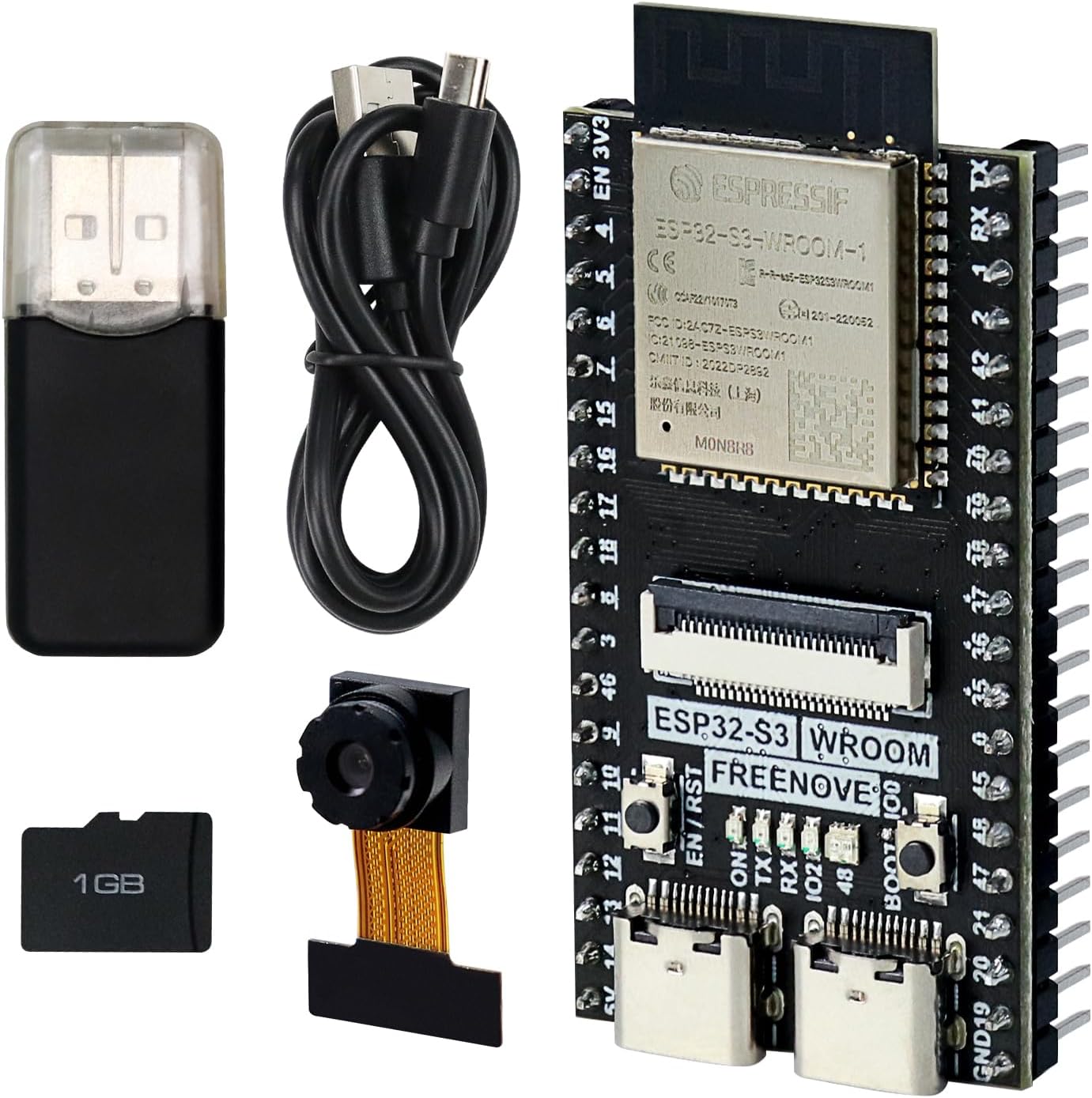
Freenove ESP32-S3-CAM

Seeed Studio XIAO ESP32S3 Sense
ESP32 Camera Module Prices (2026) #
Prices shift quickly, especially on AliExpress. These are typical ranges as of early 2026.
| Module | Amazon US | AliExpress |
|---|---|---|
| OV2640 standard | $3-5 | $1.50-3 |
| OV2640 wide angle | $4-7 | $2-4 |
| OV2640 NoIR | $4-8 | $2-5 |
| OV5640 fixed focus | $8-12 | $4-8 |
| OV5640 autofocus | $10-15 | $5-10 |
| OV3660 | $8-12 | $4-7 |
| OV7670 | $1-3 | $0.80-2 |
Complete boards with camera included:
| Board | Camera | Price range |
|---|---|---|
| AI-Thinker ESP32-CAM | OV2640 | $4-8 |
| ESP32-CAM-MB (with programmer) | OV2640 | $8-14 |
| Freenove ESP32-S3-CAM | OV2640 | $18-25 |
| Seeed XIAO ESP32S3 Sense | OV2640 | $15-20 |
AliExpress is significantly cheaper but delivery takes 2-4 weeks and quality control varies. For a first purchase, Amazon or a reputable electronics retailer is worth the markup.
ESP32-CAM vs ESP32-S3 Camera Boards #
The original AI-Thinker ESP32-CAM is still widely used, but the ESP32-S3 based boards are a meaningful step up for anything beyond basic streaming.
| ESP32-CAM | ESP32-S3 boards | |
|---|---|---|
| RAM | 520KB SRAM + 4MB PSRAM | 8MB PSRAM (typical) |
| Camera support | OV2640, OV3660, OV5640 | Same, plus newer sensors |
| USB | None (FTDI adapter needed) | Native USB-C |
| AI performance | Limited | Much faster inference |
| Price | $4-8 | $15-25 |
The RAM difference is the biggest practical change. More PSRAM means you can buffer larger frames, use higher resolutions without crashing, and run multiple image buffers for smoother streaming.
For basic streaming or a simple security camera, the ESP32-CAM is a solid choice. For face detection, MQTT image uploads, or anything AI-related, the ESP32-S3 boards save a lot of debugging time.
ESP32 Night Vision Camera - NoIR Modules and IR LEDs #
Night vision for ESP32 cameras works one of two ways: remove the IR filter from the sensor (NoIR module) or keep the standard module and add external IR illumination strong enough to work through it.
Option 1: NoIR Camera Module
IR filter removed from the sensor. Works with IR LEDs to see in complete darkness. Trade-off: daytime images have a pink or purple tint from ambient IR in sunlight.
Option 2: Standard Camera + IR LEDs
Keep your regular OV2640, add an external IR illuminator. Natural daytime colors, but you need extra wiring, power for the LEDs, and usually a transistor to switch them on and off.
Which Night Vision Approach? #
| Scenario | Best Choice |
|---|---|
| Dedicated night camera (baby monitor, wildlife) | NoIR module - simpler setup |
| Day and night use (security camera) | Standard + switchable IR LEDs |
| Indoor low-light without full darkness | OV3660 - better native sensitivity |
850nm vs 940nm IR LEDs #
This catches a lot of people off guard. Both wavelengths work for night vision but behave differently.
850nm IR LEDs produce a faint red glow visible to the human eye. Cheap, common, and very effective. The OV2640 NoIR responds to them well. Good for most setups where the visible glow isn't a problem.
940nm LEDs are completely invisible - no visible red glow. Useful for covert installs. Trade-off: they're less efficient, camera sensors respond to them less strongly, and you need more LEDs to get the same illumination level.
For most ESP32 night vision builds, 850nm is the right call. Use 940nm only if the visible glow is specifically a problem for your use case.
OV2640 NoIR vs OV3660 for Low Light #
The OV2640 NoIR module needs external IR LEDs to see in darkness. Without them, removing the IR filter only makes daytime images pink. It doesn't make the sensor more sensitive to visible light.
The OV3660 doesn't need any hardware tricks. Its improved light sensitivity means it delivers cleaner frames in dim conditions out of the box. No IR LEDs required, no NoIR variant, just better hardware.
If your "night vision" use case is actually "dim indoor light" rather than "complete darkness," the OV3660 paired with an ESP32-S3 is the cleaner solution with no extra wiring.
Pro tip: For ESP32-CAM night vision builds, the built-in flash LED is too bright and washes out close subjects. Use separate IR LEDs (850nm for most cases) positioned to the side of or above the lens, not directly next to it.

OV2640 NoIR Night Vision Camera
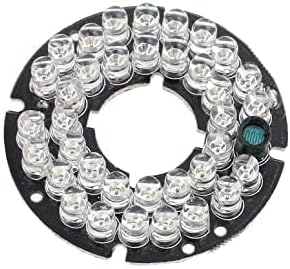
IR LED Module for Night Vision
My Actual Picks #
Boring, basic, works.
QR codes, close-ups.
+ ESP32-S3
Life is too short.
Software Compatibility - Arduino, ESPHome, and MicroPython #
The sensor you choose affects more than image quality. It affects which platforms and tools you can use.
ESPHome #
ESPHome's esp32_camera component supports OV2640, OV5640, and OV3660. OV2640 has the widest community support and the most example configs. OV7670 is not supported.
Basic ESPHome config for OV2640 on an AI-Thinker ESP32-CAM:
esp32_camera:
  name: My Camera
  external_clock:
    pin: GPIO0
    frequency: 20MHz
  i2c_pins:
    sda: GPIO26
    scl: GPIO27
  data_pins: [GPIO5, GPIO18, GPIO19, GPIO21, GPIO36, GPIO39, GPIO34, GPIO35]
  vsync_pin: GPIO25
  href_pin: GPIO23
  pixel_clock_pin: GPIO22
  resolution: 640x480
  jpeg_quality: 10
For OV3660 on an ESP32-S3 board, the pin assignments differ - check your board's pinout. The component name and parameters stay the same, you just change the model field if your board requires it.
ESPHome integrates with Home Assistant out of the box. Once flashed, the camera shows up as a camera entity you can add to dashboards or use in automations with motion triggers.
Arduino and PlatformIO #
All four sensors have Arduino library support through Espressif's esp32-camera library. OV2640 examples are everywhere. OV5640 and OV3660 work but have fewer third-party tutorials.
MicroPython #
Standard MicroPython firmware does not include camera drivers. A few community forks add OV2640 support - Seeed Studio's MicroPython build for XIAO ESP32S3 Sense is the most documented. For most camera projects, Arduino or ESPHome is the practical choice.
Common Mistakes #
Buying the cheapest module from an unknown seller. I've received DOA cameras and mislabeled sensors. Stick to reputable vendors.
Assuming all OV5640 have autofocus. They don't. Check carefully. "5MP" doesn't mean autofocus.
Running max resolution for video streaming. ESP32 will struggle. Drop to VGA or 720p for smooth video.
Ignoring the ribbon cable. They're fragile. Buy a spare. Actually, buy two.
Testing in good lighting, deploying in bad. That bright garage isn't the same as a dim hallway at 2am.
Frequently Asked Questions #
Which is better, OV2640 or OV3660? Depends on the project. OV2640 is better supported, cheaper, and the right pick for most streaming and security builds. OV3660 wins in low light and AI applications where frame quality in dim conditions matters. For a first project, OV2640.
Does the OV2640 have autofocus? No. The standard OV2640 is fixed focus. You can manually rotate the threaded lens barrel to shift the focal distance, but there's no motorized autofocus. If you need autofocus, get the OV5640 AF version.
Can I swap an OV5640 into an ESP32-CAM board? Yes, if the board uses the 24-pin ribbon cable connector. OV2640, OV5640, and OV3660 share the same connector. Swap the module and update the sensor type in your code. The OV5640 AF draws more current, so check your power supply.
Which ESP32 camera works with ESPHome? ESPHome's esp32_camera component supports OV2640, OV5640, and OV3660. OV2640 has the most documentation and community configs. OV3660 works well on ESP32-S3 boards. OV7670 is not supported by ESPHome.
What is OV2640 NoIR? A version of the OV2640 with the infrared cut filter removed. Standard camera sensors block IR light to keep daytime colors accurate. The NoIR version lets IR light through so it can see infrared illumination in the dark. Daytime images will have a pink or magenta cast from natural IR in sunlight.
What resolutions does the OV2640 support? From 160x120 (QQVGA) up to 1600x1200 (UXGA). For video streaming, 640x480 (VGA) at 25-30fps is the practical sweet spot. Maximum resolution stills at 1600x1200 are possible but slow.
Can I use these cameras with MicroPython? Standard MicroPython firmware for ESP32 doesn't include camera drivers. Some third-party builds (like Seeed Studio's MicroPython for XIAO ESP32S3) do support OV2640. For most camera projects, Arduino, PlatformIO, or ESPHome is the practical choice.
Can I use an ESP32 camera for video streaming to Home Assistant? Yes. The most common approach is ESPHome with the esp32_camera component, which integrates directly with Home Assistant. OV2640 is the most tested sensor for this. Stream at VGA or 720p for reliable performance.