
Elecrow ThinkNode M1 vs M2: Meshtastic LoRa Transceivers Compared
Hands-on review and comparison of Elecrow's ThinkNode-M1 (nRF52840) and ThinkNode-M2 (ESP32-S3) Meshtastic LoRa devices. Unboxing, features, display comparison, battery life, and real-world usage.
I love anything that helps people stay connected off the grid, so when Elecrow sent over two of their Meshtastic-ready units I couldn't wait to try them: the ThinkNode‑M1 and the ThinkNode‑M2.
On paper they look similar, but under the hood they're quite different. The M1 is built around a Nordic nRF52840, includes GNSS (GPS/GLONASS/BeiDou/QZSS) and has a 1.54" e‑paper display. The M2 is an ESP32‑S3 board with a 1.3" OLED and an integrated antenna - which makes it much more interesting for the ESP32-focused readers.
I'll focus more on the M2 here (because, well, ESP32), but I also want point out where the M1 shines so you can pick the right device for your use case.
First Impressions: Unboxing #
Right out of the gate, Elecrow impressed me with the packaging. Both devices arrive in sturdy plastic cases with beautifully printed cardboard sleeves showcasing the key features. It's not just functional - it feels premium.
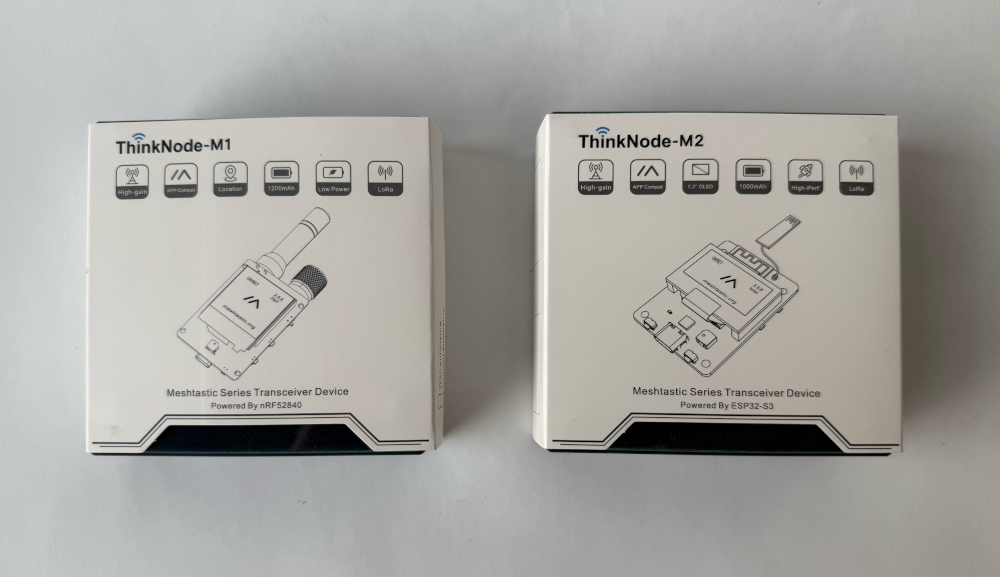
This kind of presentation matters when you're considering these as gifts or for professional projects. Everything is well-protected and ready to go.
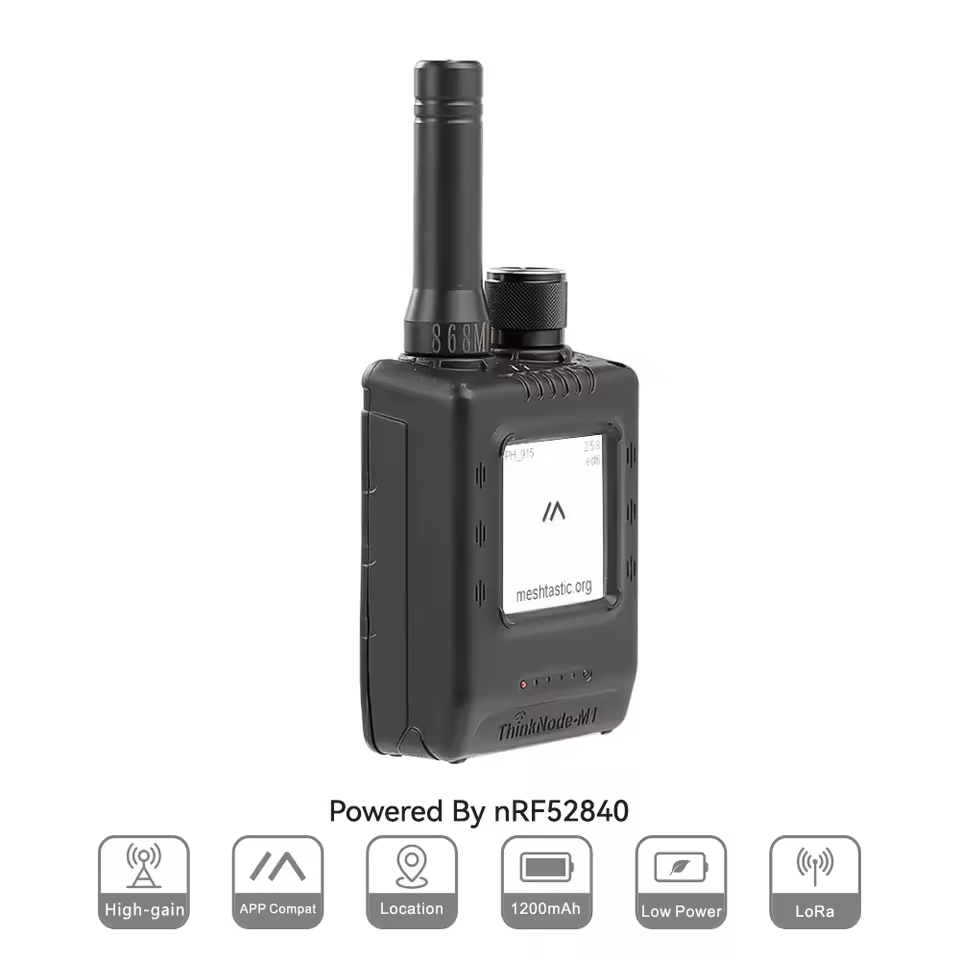
ThinkNode-M1 (nRF52840)

ThinkNode-M2 (ESP32-S3)
What's in the Box? #
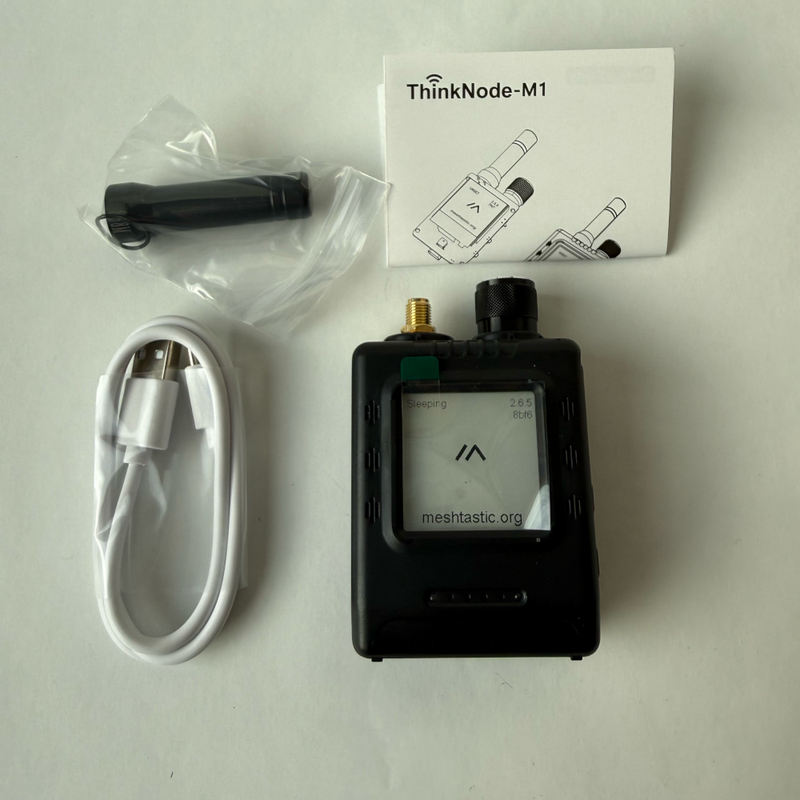
ThinkNode-M1 (nRF52840) #
- ✅ ThinkNode-M1 device with 1.54" e-paper display
- ✅ USB-C cable
- ✅ External LoRa antenna (requires attachment)
- ✅ Printed manual
ThinkNode-M2 (ESP32-S3) #
- ✅ ThinkNode-M2 device with 1.3" OLED display
- ✅ USB-C cable
- ✅ Printed manual
- ℹ️ No external antenna needed - the M2 has an integrated antenna built into the frame
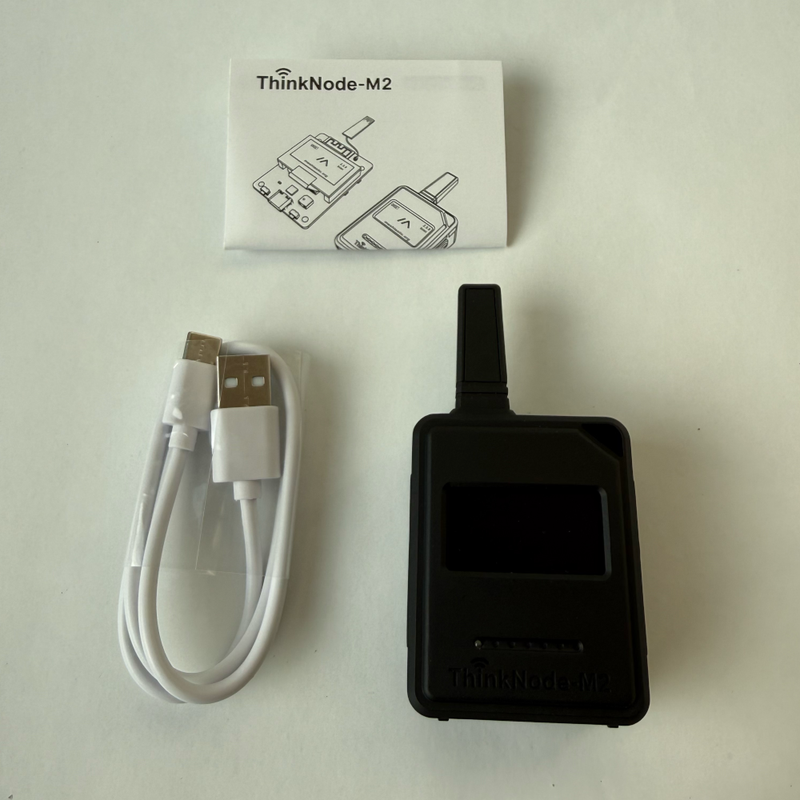
The M2's smaller, integrated antenna makes the unit more compact - I'll test range and report back later.
🔍 Side-by-Side Comparison #
| Feature | ThinkNode-M1 (nRF52840) | ThinkNode-M2 (ESP32-S3) |
|---|---|---|
| Microcontroller | Nordic nRF52840 | Espressif ESP32-S3 |
| Display | 1.54" E-Paper | 1.3" OLED |
| GNSS/GPS | ✅ GPS/GLONASS/BeiDou/QZSS | ❌ Not included |
| Battery | 1200mAh Li-ion | 1000mAh Li-ion |
| Antenna | External (included) | Integrated |
| Meshtastic | ✅ Pre-installed | ✅ Pre-installed |
| Best For | Aviation tracking, GPS projects, battery life | General Meshtastic, ESP32 ecosystem |
| Price | Check Price | Check Price |
Key Observations & Real-World Insights #
1. Display Technology: E-Paper vs OLED #
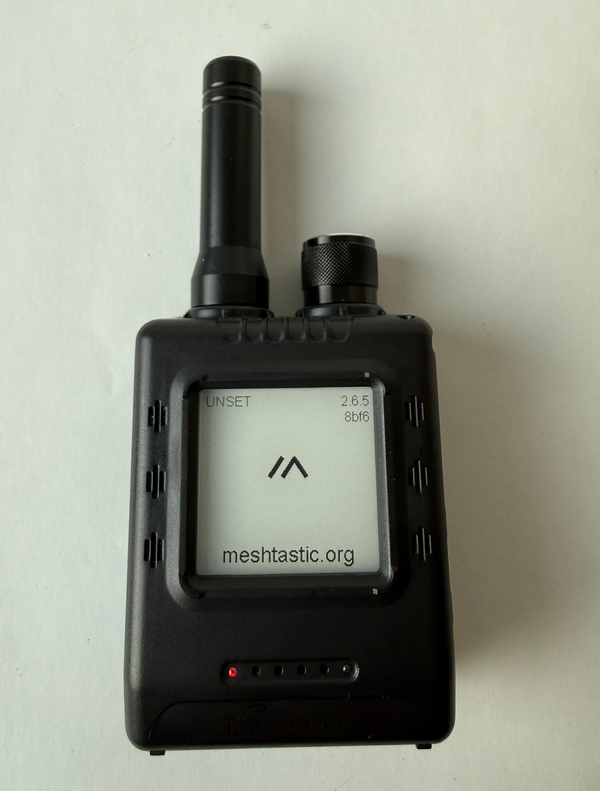
ThinkNode-M1's 1.54" E-Paper Display is the standout feature here. E-paper technology:
- ⚡ Consumes virtually no power when displaying static content
- 🌞 Readable in direct sunlight (unlike OLED)
- 🔆 Backlight and a small knob next to the antenna for brightness control
- 🔋 Massive battery life advantage for always-on information displays
- 🐌 Slower refresh rates (typical for e-paper)
ThinkNode-M2's 1.3" OLED Display:
- ✨ Blue color with good contrast
- ⚡ Fast refresh rates for smooth UI
- 🌙 Perfect visibility in low light
- 🔋 Higher power consumption during active use
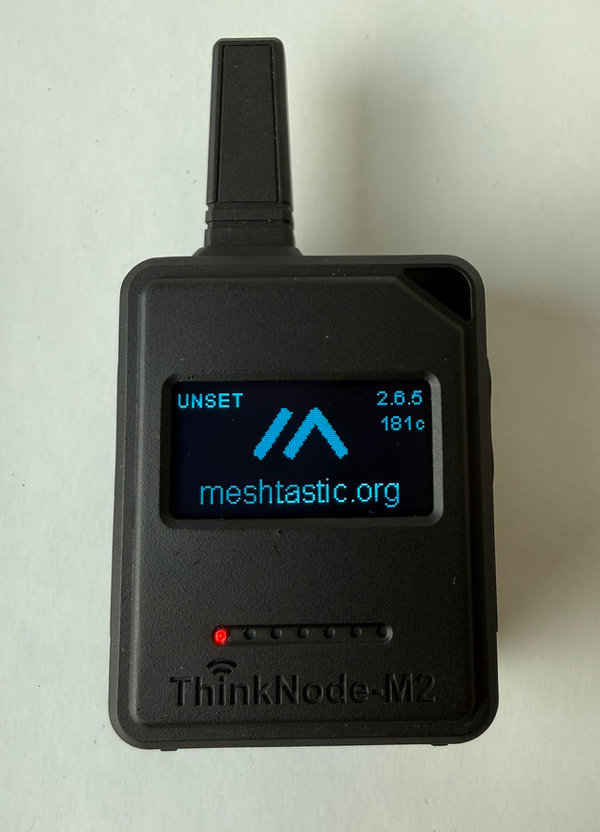
Verdict: If you want your Meshtastic device to display messages for extended periods without draining the battery, the M1's e-paper is unbeatable. The M2's OLED is better for interactive use where you frequently check and dismiss messages.
2. GPS Capability: Location-Aware Meshtastic #
The M1 includes GNSS support (GPS/GLONASS/BeiDou), opening up interesting use cases:
🛩️ SoftRF for Aviation Enthusiasts #
The M1 can run SoftRF Handheld Edition - a project that tracks nearby aircraft using radio frequencies.
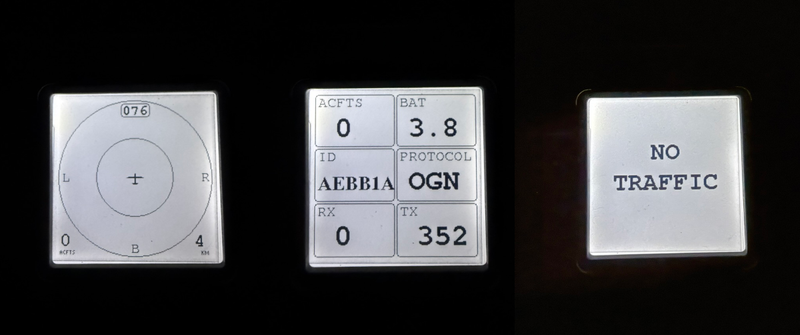
Important caveat: It's designed for hobby aviation and cannot track ADS-B signals (commercial flights) since it doesn't support those frequencies. Perfect for glider pilots, paragliders, and sport aviation, but not for tracking commercial air traffic.
📍 Location Sharing in Meshtastic #
With GPS, the M1 can automatically share your location with other Meshtastic nodes - great for:
- Hiking groups staying connected
- Search and rescue coordination
- Event coordination over large areas
ThinkNode-M2 lacks built-in GPS, so if you need location features, you'd have to add an external GPS module. This adds bulk and complexity.
3. Battery Life Showdown #
- ThinkNode M1: 1200mAh Li-ion battery
- ThinkNode M2: 1000mAh Li-ion battery
At first glance, the M1 wins with 20% more capacity. But here's where it gets interesting:
With GPS disabled, the M1's e-paper display should provide significantly longer runtime than the M2, even accounting for the capacity difference. E-paper only draws power during screen updates, while OLED constantly draws power when displaying content.
With GPS enabled, the M1's power advantage shrinks considerably. GPS modules are power-hungry, and if you're tracking location constantly, expect the battery to drain much faster.
Real-world estimates:
- M1 (GPS off, e-paper): 🔋🔋🔋🔋🔋 (estimated 3-5 days)
- M1 (GPS on): 🔋🔋 (estimated 1-2 days)
- M2 (OLED): 🔋🔋🔋 (estimated 2-3 days)
4. Meshtastic Out of the Box #
Both devices come with Meshtastic firmware pre-installed. This is huge for beginners:
- Power on the device
- Download the Meshtastic app on your phone (iOS/Android)
- Connect via Bluetooth
- Start sending messages over LoRa
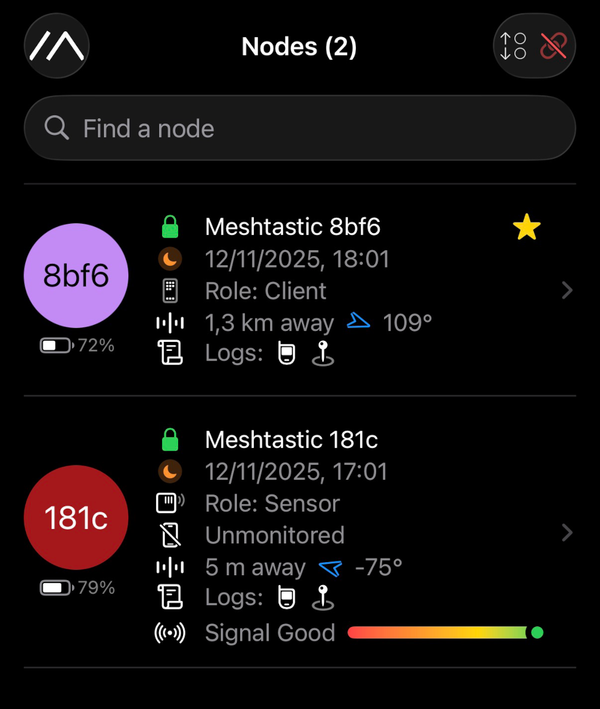
No flashing, no configuration headaches - it just works. Within minutes of unboxing, I had both devices communicating with each other.
The range is impressive too. In suburban areas with clear line of sight, I was getting several kilometers of range. In urban environments with buildings, expect 1-2km, which is still remarkable for mesh networking.
Which One Should You Choose? #
I know it can be overwhelming to pick between two solid options. Here's a short, practical guide to help you decide quickly based on what matters most to you: battery life, GPS, hackability, or display readability.
Choose ThinkNode-M1 if: #
- ✅ You need GPS/location tracking
- ✅ Battery life is your top priority
- ✅ You want sunlight-readable displays
- ✅ You're interested in SoftRF aviation tracking
- ✅ You are ok with the nRF52840 ecosystem
Choose ThinkNode-M2 if: #
- ✅ You prefer the ESP32 ecosystem
- ✅ You prefer OLED's vibrant display
- ✅ You don't need GPS (or plan to add an external module)
- ✅ You want to customize firmware more easily with ESP32 tools
ESP32-S3 Advantage: Hackability #
Since this is an ESP32-focused site, let's talk about the M2's potential for customization:
The ESP32-S3 is incredibly well-supported with:
- Arduino IDE compatibility
- PlatformIO support
- Extensive libraries for sensors, displays, and more
- ESP-IDF for advanced projects
- Strong community and documentation
If you want to extend your M2 beyond Meshtastic - adding custom sensors, integrating with HomeAssistant, or building a custom UI - the ESP32-S3 gives you more options than the nRF52840.
Technical Specifications #
Below are the key hardware specs I verified (and a few vendor-listed details). The table shows the obvious differences at a glance: the M1 uses an nRF52840 with a larger e‑paper display and built‑in GNSS, while the M2 uses an ESP32‑S3 with a smaller OLED and an integrated PCB antenna. Fields marked "TBD" are measurements I'll fill in after hands‑on testing (dimensions, weight, and real-world battery/range figures).
ThinkNode-M1 (nRF52840) #
Microcontroller: Nordic nRF52840
CPU: ARM Cortex-M4 @ 64MHz
Display: 1.54" E-Paper (200×200 pixels)
GNSS: GPS/GLONASS/BeiDou
LoRa: SX1262 @ 868/915MHz
Battery: 1200mAh Li-ion
Charging: USB-C
Dimensions: TBD
Weight: TBD
ThinkNode-M2 (ESP32-S3) #
Microcontroller: Espressif ESP32-S3
CPU: Dual-core Xtensa LX7 @ 240MHz
Display: 1.3" OLED (128×64 pixels)
GNSS: None (external module required)
LoRa: SX1262 @ 868/915MHz
Battery: 1000mAh Li-ion
Charging: USB-C
Dimensions: TBD
Weight: TBD
Antenna: Integrated PCB antenna
Final thoughts #
I had a lot of fun testing both ThinkNode units. Elecrow did a great job - the hardware feels solid, the packaging is tidy, and getting Meshtastic up and running was refreshingly painless.
If you're deep in the ESP32 world and like to tinker, the ThinkNode‑M2 is the one I'd reach for: it's friendly to the ESP toolchain and easy to hack on. If you need long battery life, sunlight-readable screens, or built-in GNSS for location tracking, the ThinkNode‑M1 is the smarter choice.
That said - the M2's OLED is lovely, but I keep wishing for an ESP32-based device that combined the M2's hackability with the M1's e‑paper (and GNSS) - that would be my perfect Meshtastic companion.
Either way, these devices make mesh radio approachable - you don't need to be a hardware expert to get a reliable LoRa node on the air. I'll follow up with range and battery numbers after more real-world testing.
Product Links #
- ThinkNode-M1: Elecrow Store
- ThinkNode-M2: Elecrow Store