
SHT45 Temperature and Humidity Sensor
The SHT45 is a high-accuracy digital temperature and humidity sensor with a compact design and low power consumption. Its I²C interface and wide operating voltage range make it ideal for various environmental monitoring applications.

SHT45 pinout
The SHT45 uses standard I²C communication with 4 pins, optimized for high precision and low power.
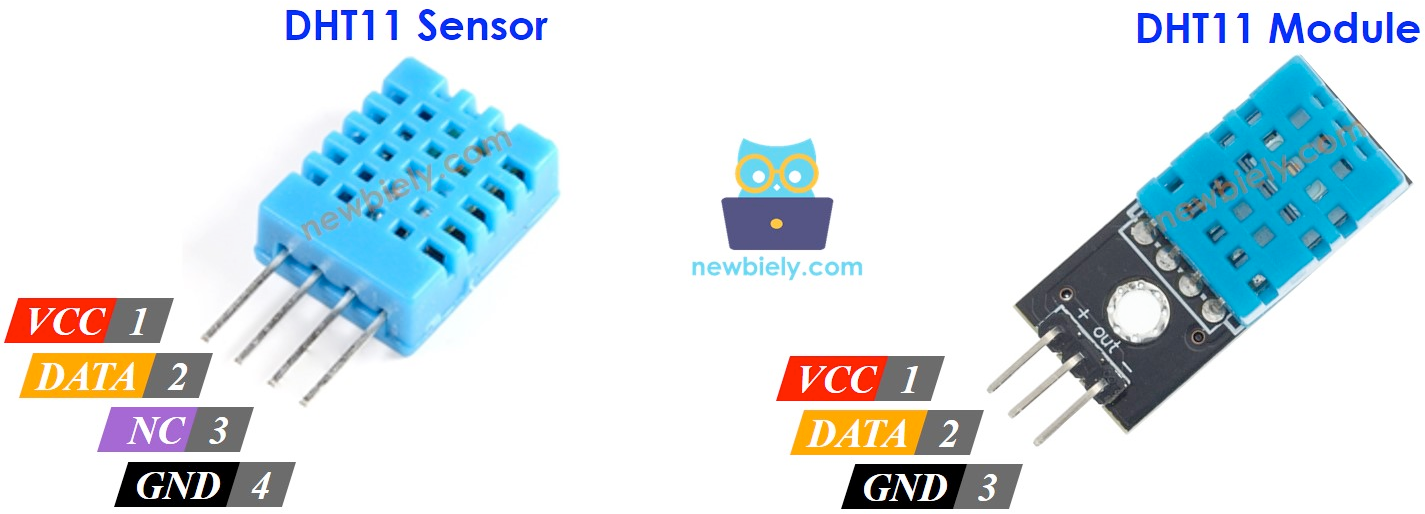
| Pin | Type | Description | Notes |
|---|---|---|---|
| VDD | Power | Power supply input (1.08V to 3.6V) | Ultra-low voltage for battery-powered devices |
| GND | Power | Ground connection | Connect to ESP32 ground |
| SDA | Communication | I²C data line | Bidirectional data communication |
| SCL | Communication | I²C clock line | Clock signal from master device |
Standard I²C interface for easy integration
Default I²C address is 0x44
Exceptional accuracy: ±0.1°C temp, ±1% humidity
Ultra-low voltage (1.08V-3.6V) for battery applications
Top-tier sensor in SHT4x series
Wiring the SHT45 to ESP32
Connect the SHT45 using standard I²C interface for maximum precision in low-power applications.
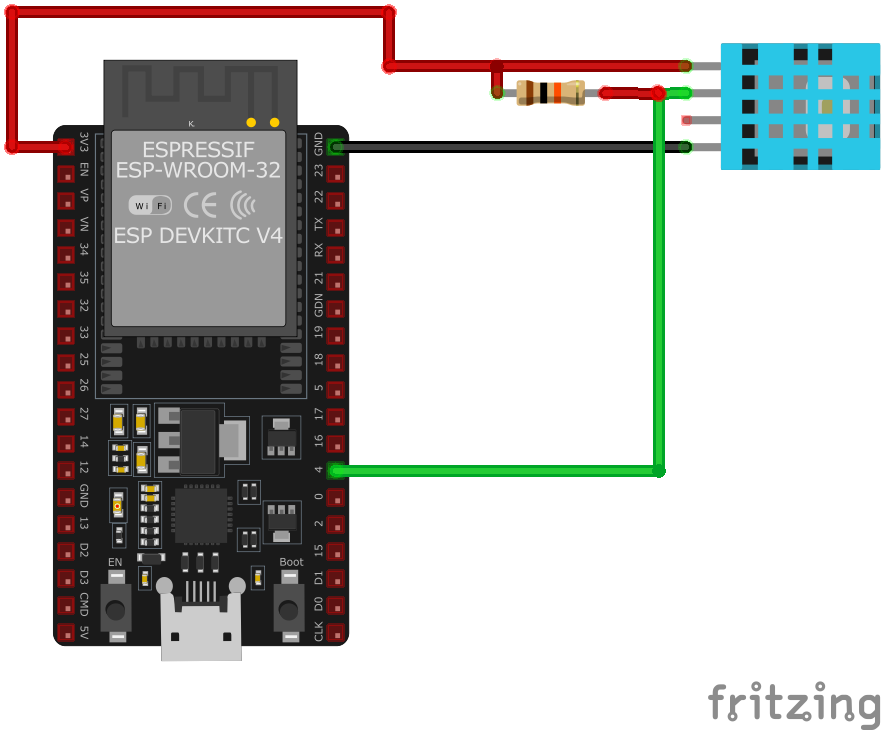
| SHT45 pin | ESP32 pin | Purpose |
|---|---|---|
| VDD | 3.3V | Power supply (1.08V to 3.6V supported) |
| GND | GND | Ground connection |
| SDA | GPIO21 | I²C data line (default SDA) |
| SCL | GPIO22 | I²C clock line (default SCL) |
GPIO21/22 are default I²C pins on ESP32
I²C address is 0x44 (fixed)
Add 10kΩ pull-up resistors on SDA/SCL if needed
Ideal for ultra-low power IoT applications
SHT45 code examples
#include <Wire.h>
#include "Adafruit_SHT4x.h"

Adafruit_SHT4x sht4 = Adafruit_SHT4x();

void setup() {
  Serial.begin(115200);
  if (!sht4.begin()) {
    Serial.println("Couldn't find SHT4x");
    while (1) delay(10);
  }
  Serial.println("Found SHT4x sensor");
}

void loop() {
  sensors_event_t humidity, temp;
  sht4.getEvent(&humidity, &temp);
  Serial.print("Temperature: ");
  Serial.print(temp.temperature);
  Serial.println(" °C");
  Serial.print("Humidity: ");
  Serial.print(humidity.relative_humidity);
  Serial.println(" %");
  delay(2000);
}
This Arduino code initializes the SHT45 sensor using the Adafruit SHT4x library. In the setup() function, it sets up serial communication and attempts to initialize the sensor. If the sensor is not found, it prints an error message and halts execution. In the loop() function, it reads temperature and humidity data from the sensor and prints the values to the Serial Monitor every two seconds.
// Requires the esp-idf-lib SHT4x driver from the ESP Component Registry:
//   idf.py add-dependency "esp-idf-lib/sht4x^1.0.7"

#include <stdio.h>
#include <string.h>
#include "freertos/FreeRTOS.h"
#include "freertos/task.h"
#include "sht4x.h"

#define SDA_GPIO GPIO_NUM_21
#define SCL_GPIO GPIO_NUM_22

void app_main(void)
{
    ESP_ERROR_CHECK(i2cdev_init());

    sht4x_t dev;
    memset(&dev, 0, sizeof(sht4x_t));
    ESP_ERROR_CHECK(sht4x_init_desc(&dev, 0, SDA_GPIO, SCL_GPIO));
    ESP_ERROR_CHECK(sht4x_init(&dev));

    while (1) {
        float temperature, humidity;
        if (sht4x_measure(&dev, &temperature, &humidity) == ESP_OK)
            printf("Temp %.2f C, Hum %.2f%%\n", temperature, humidity);
        else
            printf("Could not read data from sensor\n");
        vTaskDelay(pdMS_TO_TICKS(2000));
    }
}
ESP-IDF ships no SHT45 driver of its own, so this example uses the maintained esp-idf-lib SHT4x driver from the ESP Component Registry. Install it into your project first with idf.py add-dependency "esp-idf-lib/sht4x^1.0.7", then build as usual.
sht4x_measure() performs one high-repeatability measurement (the driver handles the command, timing and CRC check) and returns temperature in Celsius and relative humidity in percent. i2cdev_init() sets up the shared I2C layer used by all esp-idf-lib drivers. The same code works for every SHT4x family member, including the SHT40 and SHT41.
i2c:
  sda: GPIO21
  scl: GPIO22

sensor:
  - platform: sht4x
    temperature:
      name: "SHT45 Temperature"
    humidity:
      name: "SHT45 Humidity"
    address: 0x44
    update_interval: 2s
This ESPHome configuration sets up the SHT45 sensor to measure temperature and humidity over I²C. The sensor readings update every two seconds, and the default I²C address is 0x44.
[env:esp32dev]
platform = espressif32
board = esp32dev
framework = arduino
lib_deps =
    adafruit/Adafruit SHT4x Library
    wire
monitor_speed = 115200#include <Wire.h>
#include "Adafruit_SHT4x.h"
Adafruit_SHT4x sht4 = Adafruit_SHT4x();
void setup() {
Serial.begin(115200);
if (!sht4.begin()) {
Serial.println("Couldn't find SHT4x");
while (1) delay(10);
}
Serial.println("Found SHT4x sensor");
}
void loop() {
sensors_event_t humidity, temp;
sht4.getEvent(&humidity, &temp);
Serial.print("Temperature: ");
Serial.print(temp.temperature);
Serial.println(" °C");
Serial.print("Humidity: ");
Serial.print(humidity.relative_humidity);
Serial.println(" %");
delay(2000);
}This PlatformIO code initializes the SHT45 sensor using the Adafruit SHT4x library. The sensor communicates over I²C, and the program continuously reads and prints temperature and humidity values to the Serial Monitor every two seconds.
from machine import I2C, Pin
from time import sleep, sleep_ms

# The SHT45 speaks plain I2C - no driver needed (SDA=GPIO21, SCL=GPIO22)
i2c = I2C(0, scl=Pin(22), sda=Pin(21))
SHT4X_ADDR = 0x44

while True:
    i2c.writeto(SHT4X_ADDR, b'\xfd')  # high-precision measurement command
    sleep_ms(10)  # wait for the measurement
    data = i2c.readfrom(SHT4X_ADDR, 6)  # T MSB, T LSB, CRC, RH MSB, RH LSB, CRC
    temp_raw = (data[0] << 8) | data[1]
    hum_raw = (data[3] << 8) | data[4]
    temperature = -45 + 175 * temp_raw / 65535
    humidity = -6 + 125 * hum_raw / 65535
    humidity = min(max(humidity, 0), 100)  # clamp per the datasheet
    print("Temperature: {:.2f} C".format(temperature))
    print("Humidity: {:.2f} %".format(humidity))
    sleep(2)
The SHT45 needs no driver - the example sends the SHT4x high-precision measurement command (0xFD), waits 10 ms, reads six bytes and applies the datasheet conversions (the humidity formula is -6 + 125 x raw / 65535, clamped to 0-100%). The sensor sits at the family's fixed address 0x44 on the default I2C pins.
SHT45 specifications
About the SHT45
The SHT45 is the top of Sensirion’s fourth-generation SHT4x ladder, the more accurate sibling of the already-covered SHT40 and the mid-tier SHT41: the same fixed I2C address 0x44, the same 1.08 V to 3.6 V supply and roughly 0.4 uA power draw at one measurement per second, but accuracy tightened to ±0.1 degC and ±1.0 %RH - the best numbers anywhere in the SHT4x-and-earlier lineup.
Because all three SHT4x siblings share the same address and command set, a design built around the SHT40 upgrades to the SHT45 by swapping the part with no code changes - which is the point: buy the cheaper SHT40 for a room monitor, and reach for the SHT45 only where the extra accuracy is worth the higher price.
Sensirion names the SHT45 as the official successor to the second-generation SHT25, which the company has marked not recommended for new designs - the SHT45 matches or beats the SHT25’s accuracy while drawing far less power and running on a much lower supply voltage floor.
SHT45 troubleshooting
Sensor Initialization Failure
›
Issue: The sensor fails to initialize, and no data is received.
Solution: Ensure that the SDA and SCL lines are correctly connected to the corresponding GPIO pins on the microcontroller. Verify that the power supply voltage is within the specified range (1.08V to 3.6V). Check for proper pull-up resistors on the SDA and SCL lines if required by your specific setup. Confirm that the I²C address used in your code matches the sensor's default address (0x44).
Incorrect Temperature or Humidity Readings
›
Issue: The sensor provides inaccurate temperature or humidity readings.
Solution: Avoid placing the sensor near heat sources or in direct sunlight. Ensure that the sensor is not exposed to condensation or water droplets. Allow the sensor to stabilize after power-up, as recommended by the manufacturer. Calibration may be necessary for precise measurements.
Intermittent I²C Communication
›
Issue: Communication with the sensor is intermittent or fails.
Solution: Verify that the correct I²C address (0x44) is used in your code. Ensure that the timing requirements for the I²C signals are met. Check the integrity of the SDA and SCL connections and ensure that appropriate pull-up resistors are in place if not already included on the sensor module.
Resources
Similar sensors


